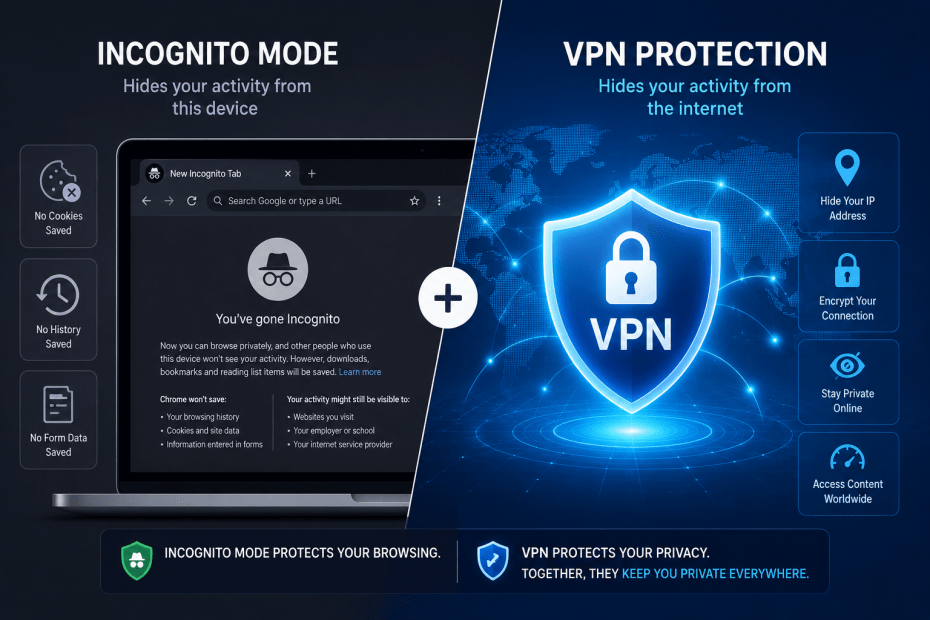
When it comes to online privacy, many users turn to tools like incognito mode or a VPN without fully understanding what each one protects. Both are useful in different contexts, but they offer very different levels of privacy and security. This article breaks down what incognito mode and VPNs actually hide—and why that matters for your internet safety.
What Is Incognito Mode?
Incognito mode, sometimes called private browsing, is a feature built into most modern web browsers. It prevents the browser from storing your browsing history, cookies, or form data after you close the session. This can be handy if you share a device with others or want to stop your searches showing up in your browser history.
However, incognito mode only affects the data stored locally on your device. It does not hide your activity from your internet service provider (ISP), your employer or network administrator, or the websites you visit. Your IP address remains visible, and your traffic is not encrypted.
Practical Example
Say you use incognito mode on a shared family computer to look up a surprise gift. Your family members won’t see the browsing history once you close the window. However, your ISP and the websites you visit still know your IP address and can track your activity. If you are on a workplace network, your employer can monitor your browsing regardless of incognito mode.
What Does a VPN Do?
A Virtual Private Network (VPN) encrypts your internet traffic and routes it through a remote server. This process masks your real IP address and replaces it with one from the VPN provider. Encryption scrambles your data, stopping your ISP, network administrators, and others from seeing what sites you visit or what data you send and receive.
Unlike incognito mode, a VPN offers privacy beyond your device. It prevents outsiders from monitoring your online activity by creating a secure tunnel between your device and the internet.
Practical Example
Imagine you connect to a public Wi-Fi hotspot at a café. Without a VPN, anyone on the same network could intercept your traffic, potentially exposing sensitive information. With a VPN, your connection is encrypted, reducing the risk of eavesdropping. Websites you visit will see the VPN server’s IP address instead of yours, adding a layer of anonymity.
Key Differences Between VPN and Incognito Mode
| Feature | Incognito Mode | VPN |
|---|---|---|
| Local history and cookies | Not saved after session ends | Not affected |
| IP address visibility | Visible to websites and ISP | Masked by VPN server |
| Traffic encryption | No | Yes |
| Protection on public Wi-Fi | No | Yes |
| Hides activity from ISP/network admin | No | Yes |
Limitations and Trade-Offs
While VPNs enhance privacy, they are not a silver bullet. Your VPN provider can see your traffic unless it has a strict no-logs policy. Choosing a trustworthy VPN is essential. Additionally, VPNs can sometimes slow down your connection due to encryption overhead and server distance.
Incognito mode is a lightweight option for local privacy, but it does not offer anonymity or security from external observers. For everyday use, it is useful to avoid cluttering your browser history but should not be relied on for privacy against surveillance or tracking.
When Should You Use Each?
If your main concern is preventing others with access to your device from seeing your browsing history, incognito mode is a quick and easy solution. For example, when you share a laptop with family members or use a public computer.
If privacy from ISPs, network administrators, or websites is important, a VPN makes more sense. It is especially relevant when using unsecured networks, accessing region-restricted content, or avoiding online tracking.
Conclusion
Incognito mode and VPNs serve different roles in protecting your online privacy. Incognito mode keeps your browsing data from being saved on your device but does not hide your identity or encrypt your traffic. A VPN provides encryption and masks your IP address, offering a more comprehensive privacy solution.
Understanding these differences helps you choose the right tool for your needs. For most people seeking stronger privacy online, a VPN is the better option. However, incognito mode still plays a useful role in managing local privacy on shared devices.
FAQs
Does incognito mode make me anonymous online?
No. Incognito mode only prevents your device from saving browsing data. Your ISP, websites, and network administrators can still see your online activity.
Can a VPN slow down my internet connection?
Yes, because encrypting your data and routing it through a VPN server can add some delay. The impact varies depending on the provider and server location.
Will a VPN protect me from all online tracking?
Not entirely. While a VPN masks your IP and encrypts traffic, websites can still track you using cookies or browser fingerprinting unless you take additional measures.
Is using incognito mode enough on public Wi-Fi?
No. Incognito mode does not encrypt your traffic, so data sent over public Wi-Fi can be intercepted. A VPN is more effective in this scenario.
Are all VPNs equally trustworthy?
No. Some VPN providers keep logs or have weaker privacy policies. It is important to research and choose a reputable VPN with a clear no-logs commitment.
For more detailed insights on VPNs and privacy, see Windscribe’s comparison of VPN and incognito mode.
Some VPN Options for you
Nord VPN
Online VPN service that encrypts your internet traffic and hides your IP with physical location. Upgrade your privacy and security…
Trustpilot: ★★★★☆ (4.1)
Monthly Price: £11.09
Surfshark
Get Surfshark and stay protected. 3200+ servers worldwide. Unlimited devices. Audited: No-logs VPN. RAM-only servers. 24/7 support.
Trustpilot: ★★★★☆ (4.3)
Monthly Price: £11.99
Pure VPN
A VPN service helps you break free from location restrictions – so you can enjoy more of what you love.…
Trustpilot: ★★★★☆ (4.3)
Monthly Price: £12.95
IP Varnish
Help protect private information like your location data, personal identity, and browsing history when you use the internet on any…
Trustpilot: ★★★★☆ (4.6)
Monthly Price: £12.99
Cyber Ghost
With more than 7000 servers, it offers top privacy for all devices, Windows, iOS, Mac, Android, or Linux.
Trustpilot: ★★★★☆ (4.8)
Monthly Price: £10.89