
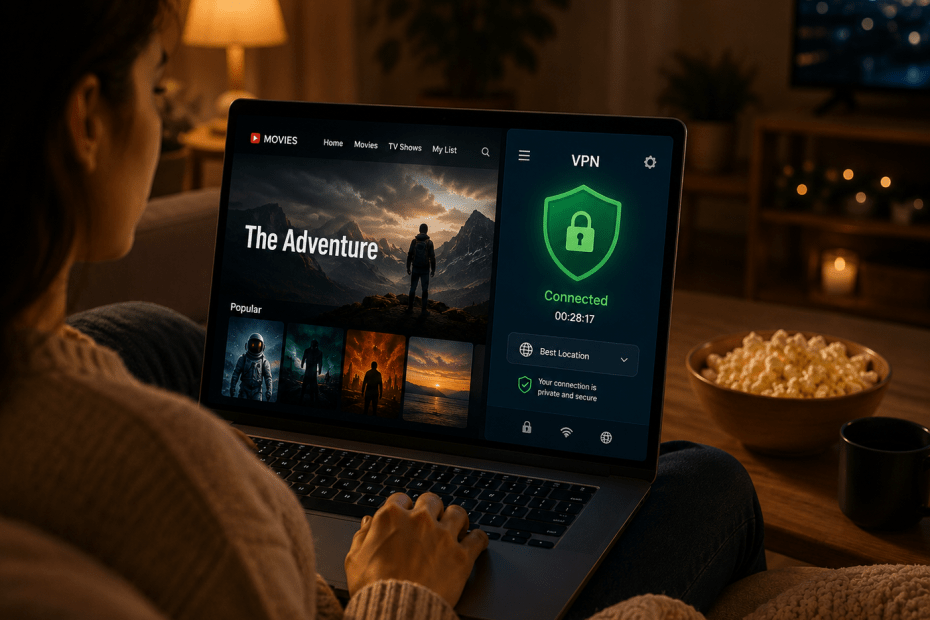
Streaming has become one of the most popular ways to enjoy movies, TV shows and live events. However, geo-restrictions and content blocks often stand in the way, limiting what you can watch depending on your location. A Virtual Private Network (VPN) can help bypass these restrictions by masking your IP address and encrypting your internet connection. But not all VPNs deliver the same streaming experience. This guide explains how to evaluate a VPN to ensure smooth, reliable streaming.
Why Use a VPN for Streaming?
A VPN allows you to connect to servers in different countries, making it appear as if you are browsing from those locations. This helps unblock content libraries on platforms like Netflix, BBC iPlayer or Amazon Prime Video that vary by region. Besides bypassing geo-blocks, VPNs also protect your privacy by hiding your real IP address and encrypting your traffic, preventing ISPs and third parties from monitoring your activity.
For example, if you’re in the UK but want to access a US Netflix title not available locally, a VPN can let you connect to a US server and stream that content. Without a VPN, you would receive an error or be blocked due to licensing restrictions.
Key Factors to Consider When Choosing a VPN for Streaming
1. Streaming Speed and Performance
Speed is crucial for streaming, especially for high-definition or 4K content. VPNs add extra steps to your connection, which can slow down your internet. The best VPNs minimise this impact with fast, well-maintained servers and efficient protocols.
Look for VPN providers that offer unlimited bandwidth and low latency servers. Some VPNs also provide specialised streaming servers optimised to handle video traffic without buffering. Independent speed tests can help identify which VPNs perform best on popular UK connections.
2. Server Locations and Availability
The number and location of VPN servers determine how many content libraries you can access. A VPN with a wide global network allows you to connect to servers in multiple countries, unlocking more streaming platforms.
For instance, if you want to watch shows on US Netflix, UK BBC iPlayer and Canadian Crave, your VPN should have reliable servers in each country. The catch is that more servers do not always mean better quality. Server reliability, load and distance all affect performance.
3. Compatibility with Streaming Devices
A good streaming VPN supports a range of devices, including smart TVs, streaming sticks like FireStick, gaming consoles and mobile devices. Many VPNs offer dedicated apps for popular platforms like Windows, macOS, iOS and Android, simplifying setup.
Before committing, check if the VPN supports the devices you use most for streaming. Some providers allow multiple simultaneous connections, letting you watch on several devices at once.
4. Ability to Bypass Geo-Blocks and VPN Detection
Streaming services actively try to detect and block VPN use to enforce regional restrictions. Some VPNs are better at staying under the radar by frequently rotating IP addresses or using obfuscation techniques that disguise VPN traffic.
If you find your VPN is blocked by a streaming service with an error message, look for providers known for reliably bypassing these restrictions. According to vpninsights.com, the ability to unblock popular platforms consistently is a key factor when choosing a streaming VPN.
5. Security and Privacy Features
While speed and access are important, maintaining privacy is also essential. Ensure your VPN has a clear no-logs policy, meaning it does not keep records of your online activity. Strong encryption protocols like OpenVPN or WireGuard protect your data from interception.
Additional features such as a kill switch, which stops internet traffic if the VPN connection drops, add an extra layer of security. These safeguards matter if privacy is your priority alongside streaming.
6. Pricing and Trial Options
VPN prices vary widely, often reflecting differences in performance and features. Free VPNs generally come with restrictions such as limited data, slower speeds or intrusive ads, which can hinder streaming.
Many paid VPNs provide money-back guarantees or free trials, allowing you to test streaming performance before committing. Trying a VPN risk-free is a sensible step to ensure it meets your streaming needs.
Practical Example: Streaming with a VPN on FireStick
Imagine you want to watch a US-only show on your Amazon FireStick while in the UK. First, you’d install the VPN app on the FireStick and connect to a US server. Next, you would launch the streaming app and start watching. A VPN with strong server speed and reliable geo-unblocking is critical here to avoid buffering or blackouts.
If the VPN is slow or detected by the streaming service, you might experience interruptions or be blocked entirely. Having a VPN that supports FireStick well and offers servers designed for streaming can make this process smoother.
Conclusion
Choosing the right VPN for streaming involves balancing speed, server locations, device compatibility and privacy. A VPN that performs well in one area may fall short in another, so consider what matters most to you. Testing VPNs with trial periods can give practical insight into their streaming capabilities.
By focusing on these factors, you can improve your chances of enjoying uninterrupted access to your favourite content, wherever you are in the UK or abroad.
Frequently Asked Questions
Can a VPN improve my streaming speed?
Not usually. VPNs add extra routing which can reduce speed slightly. However, a good VPN minimises this slowdown, and in some cases, it can bypass ISP throttling to improve streaming performance.
Are all VPNs able to unblock Netflix and other streaming services?
No. Many streaming platforms actively block VPN IP addresses. Only certain VPNs with dedicated streaming servers and obfuscation features reliably bypass these restrictions.
Is it legal to use a VPN for streaming?
In the UK and most countries, using a VPN is legal. However, accessing content that you do not have rights to may breach service terms or copyright law, so users should be aware of the legal implications.
Will a VPN work on all my devices?
Most commercial VPNs offer apps for common platforms like Windows, macOS, iOS and Android. Some support streaming devices like FireStick and smart TVs, but compatibility varies, so check before subscribing.
What should I do if my VPN is blocked by a streaming service?
Try switching to a different server or a specialised streaming server if your VPN offers one. If issues persist, contact the VPN’s customer support, as they often update their servers to overcome blocks.
Some VPN Options for you
Nord VPN
Online VPN service that encrypts your internet traffic and hides your IP with physical location. Upgrade your privacy and security…
Trustpilot: ★★★★☆ (4.1)
Monthly Price: £11.09
Surfshark
Get Surfshark and stay protected. 3200+ servers worldwide. Unlimited devices. Audited: No-logs VPN. RAM-only servers. 24/7 support.
Trustpilot: ★★★★☆ (4.3)
Monthly Price: £11.99
Pure VPN
A VPN service helps you break free from location restrictions – so you can enjoy more of what you love.…
Trustpilot: ★★★★☆ (4.3)
Monthly Price: £12.95
IP Varnish
Help protect private information like your location data, personal identity, and browsing history when you use the internet on any…
Trustpilot: ★★★★☆ (4.6)
Monthly Price: £12.99
Cyber Ghost
With more than 7000 servers, it offers top privacy for all devices, Windows, iOS, Mac, Android, or Linux.
Trustpilot: ★★★★☆ (4.8)
Monthly Price: £10.89