

- The Best Chrome VPN Extentions 2026
- Understanding Chrome VPN Extensions
- Why Choose a Chrome VPN Extension?
- Top Chrome VPN Extensions to Consider in 2026
- Limitations and Trade-offs of Chrome VPN Extensions
- Conclusion: When to Use a Chrome VPN Extension
- Frequently Asked Questions About VPN Extensions for Chrome
- Some VPN Options for you
The Best Chrome VPN Extentions 2026
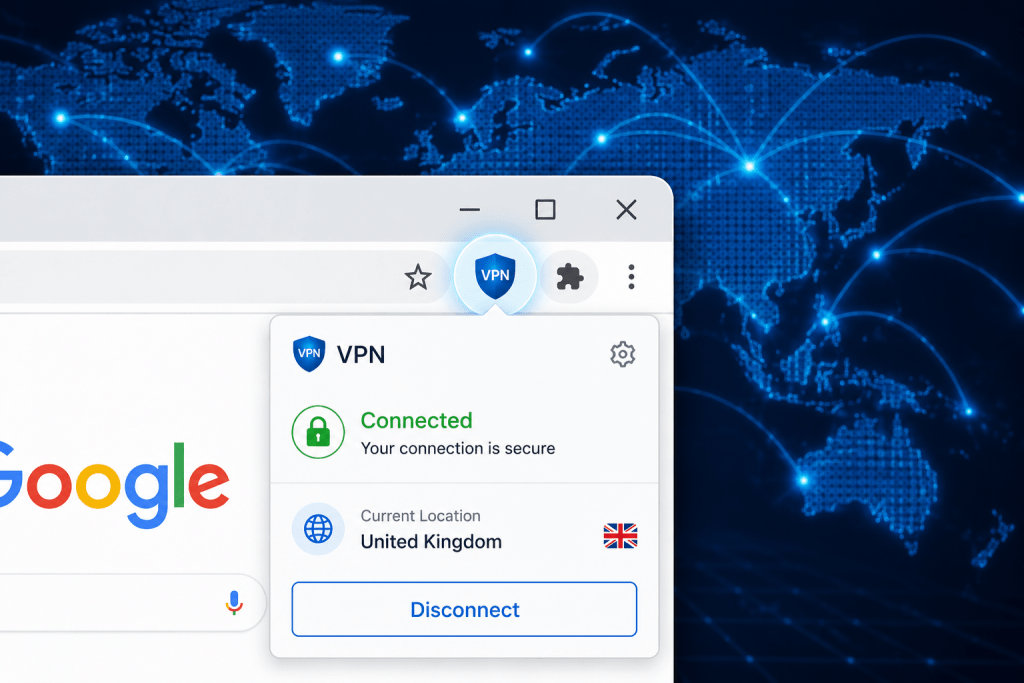
VPN Chrome extensions offer a convenient way to improve your online privacy while browsing. Yet, they come with distinct limitations compared with full VPN applications. This article explains how these browser plug-ins work, what to expect from them, and which Chrome VPN extensions stand out based on recent evaluations.
Understanding Chrome VPN Extensions
At first glance, a VPN extension might seem to provide the same protection as a full VPN app, but the two differ significantly. Chrome VPN extensions typically fall into three categories:
- Lightweight VPN extensions: These only encrypt and reroute the web traffic within the browser itself. Other applications or services on your device use your regular internet connection without VPN protection.
- Proxy VPN extensions: Similar to lightweight VPNs, these redirect browser traffic through a proxy server. While they can help mask your IP address in the browser, they don’t offer the full encryption a VPN app would.
- Full VPN extensions: These require an underlying VPN client on your device to handle all network traffic, often offering a more comprehensive privacy solution.
This distinction matters because a lightweight or proxy extension only guards your browsing activity, leaving other traffic exposed. For instance, if you use a messaging app or a file-sharing program, that data won’t be protected unless you’re running a full VPN client.
Why Choose a Chrome VPN Extension?
For most people, the appeal of a VPN extension is its simplicity and immediacy. Installing a browser plug-in is often quicker and less resource-intensive than setting up a full VPN client. If you mainly want to access geo-blocked websites or maintain privacy while browsing, a Chrome extension can be sufficient.
For example, if you’re streaming UK-only content from abroad or want to prevent your ISP from tracking your browser history, a Chrome VPN extension could help. However, if you require protection across all your internet traffic, including apps and services outside the browser, an extension alone won’t suffice.
Top Chrome VPN Extensions to Consider in 2026
Based on independent reviews and user feedback from sources like PCMag UK, several VPN extensions have proven reliable while maintaining reasonable performance and privacy standards. Here are a few worth considering:
ExpressVPN Extension
The ExpressVPN Chrome extension functions as a remote control for its desktop app but also offers additional features such as HTTPS Everywhere integration. This means it only works in conjunction with the full VPN app, providing comprehensive protection for all traffic, not just browser data. The extension is user-friendly and has a minimal impact on browsing speed.
NordVPN Extension
NordVPN offers a standalone Chrome extension that encrypts browser traffic and blocks WebRTC leaks, a common privacy vulnerability in browsers. It is easy to use and includes features like CyberSec, which blocks ads and malware. However, it only protects browser traffic, so other applications remain unprotected unless the desktop VPN is active.
Surfshark Extension
Surfshark’s Chrome extension provides a lightweight VPN experience focusing on browser traffic. It includes CleanWeb, which blocks ads and trackers, and offers a simple interface. While it does not encrypt all device traffic, it is a practical choice for users mainly concerned with browser privacy.
Windscribe Extension
Windscribe’s Chrome extension operates as a proxy that encrypts browser data and offers ad blocking and firewall features. It has a free tier with bandwidth limits, making it a suitable option for casual users who want basic privacy without a subscription. However, like other lightweight extensions, it doesn’t cover all internet activity.
Limitations and Trade-offs of Chrome VPN Extensions
When assessing Chrome VPN extensions, it is important to bear in mind their inherent limitations:
- Partial traffic protection: Extensions generally only secure browser traffic, leaving other apps and system services exposed.
- Less reliable encryption: Some extensions rely on proxy servers rather than full VPN protocols, which may provide weaker encryption and privacy.
- Potential DNS leaks: Not all extensions handle DNS requests securely, which can reveal browsing activity to your ISP or other parties.
- Device-wide security: For comprehensive protection, using a full VPN app alongside or instead of an extension is advisable.
To put that into perspective, using a Chrome VPN extension might protect your web browsing, but your email client, messaging apps, or cloud backups could still be visible to your internet provider or network administrator without a full VPN running.
Conclusion: When to Use a Chrome VPN Extension
Chrome VPN extensions can be useful tools for enhancing privacy during web browsing or bypassing geographic restrictions on content. They offer a quick and user-friendly way to add some layer of protection without installing a full VPN client.
However, if privacy is your priority and you want to secure all your internet traffic, including apps outside the browser, a standalone VPN service remains the wiser choice. The main takeaway is that browser extensions are best viewed as partial solutions rather than complete VPN replacements.
For readers interested in comparing VPN options more broadly, including pricing and feature sets, our Compare VPN platform offers detailed VPN service comparisons tailored to UK users.
Frequently Asked Questions About VPN Extensions for Chrome
1. Can a Chrome VPN extension protect all my internet activity?
No. Most Chrome VPN extensions only encrypt and reroute traffic within the browser. Other applications on your device will still use your regular internet connection unless you run a full VPN client.
2. Are VPN extensions safe to use?
Many reputable VPN providers offer secure Chrome extensions. However, some free or less-known extensions may collect user data or have weaker encryption. It’s important to choose extensions from trusted sources.
3. Do VPN extensions slow down my browsing?
VPN extensions can affect browsing speed due to encryption and rerouting of traffic, but many premium providers optimise their services to minimise this impact.
4. Can I use a VPN extension without installing a full VPN app?
Some extensions work independently, encrypting browser traffic only, while others require the full VPN app to be installed. Check the provider’s details before choosing.
5. How do VPN extensions handle DNS leaks?
Good VPN extensions include DNS leak protection to prevent your ISP from seeing your browsing activity. Not all extensions have this feature, so it’s worth verifying before use.
Some VPN Options for you
Nord VPN
Online VPN service that encrypts your internet traffic and hides your IP with physical location. Upgrade your privacy and security…
Trustpilot: ★★★★☆ (4.1)
Monthly Price: £11.09
Surfshark
Get Surfshark and stay protected. 3200+ servers worldwide. Unlimited devices. Audited: No-logs VPN. RAM-only servers. 24/7 support.
Trustpilot: ★★★★☆ (4.3)
Monthly Price: £11.99
Pure VPN
A VPN service helps you break free from location restrictions – so you can enjoy more of what you love.…
Trustpilot: ★★★★☆ (4.3)
Monthly Price: £12.95
IP Varnish
Help protect private information like your location data, personal identity, and browsing history when you use the internet on any…
Trustpilot: ★★★★☆ (4.6)
Monthly Price: £12.99
Cyber Ghost
With more than 7000 servers, it offers top privacy for all devices, Windows, iOS, Mac, Android, or Linux.
Trustpilot: ★★★★☆ (4.8)
Monthly Price: £10.89