- Quick Verdict
- Why I Decided to Review PureVPN
- Features at a Glance
- First Impressions
- Security, Privacy & Features
- My Verdict So Far
- Speed, Streaming & Everyday Performance
- Local Servers
- International Servers
- Netflix Performance
- BBC iPlayer
- Disney+ & Prime Video
- Is It Good for Sports Streaming?
- Pricing, Ease of Use & How It Compares
- Is It Worth Paying For?
- Money-Back Guarantee
- Apps & Ease of Use
- My Experience After Using PureVPN
- Final Verdict & FAQs
- Overall Ratings
- Overall Score
- Ready to Try PureVPN?
- Is PureVPN safe to use?
- Does PureVPN work with Netflix?
- Is PureVPN good for torrenting?
- Does PureVPN keep logs?
- How many devices can I connect?
- Is PureVPN fast enough for gaming?
- Is PureVPN better than NordVPN?
- Is PureVPN worth buying in 2026?
- ⭐ 4.6 / 5
When people talk about the best VPNs, names like NordVPN, Surfshark and ExpressVPN usually dominate the conversation. PureVPN doesn’t always get the same attention, but after taking a closer look at what it offers in 2026, I think that’s a little unfair.
I’ve spent quite a bit of time comparing VPN providers over the years, and PureVPN has quietly improved in almost every area that matters. Better speeds, stronger security, independently audited privacy policies and surprisingly good streaming support have helped it move well beyond its reputation as simply being “the cheap option.”
That doesn’t mean it’s perfect.
There are still areas where competitors have the edge, particularly if you’re looking for the absolute fastest speeds or the most advanced cybersecurity tools. However, if you’re shopping on a budget, PureVPN offers far more than its low monthly price suggests.
In this review, I’ll walk through everything that matters before you spend your money, including performance, security, streaming, torrenting, pricing and whether I’d actually recommend it over some of its bigger rivals.
Quick Verdict
Overall Rating: ⭐⭐⭐⭐☆ (4.5/5)
Best For
- Budget-conscious users
- Streaming Netflix and BBC iPlayer
- Torrenting
- Beginners
- Families with multiple devices
Not Ideal For
- Users wanting unlimited device connections
- Advanced privacy enthusiasts
- Those wanting bundled antivirus or identity protection
Pros
✔ Very affordable long-term plans
✔ Works with Netflix, Disney+, BBC iPlayer and more
✔ KPMG-audited no-logs policy
✔ Fast WireGuard support
✔ Over 6,000 servers worldwide
✔ Easy-to-use apps
✔ Supports torrenting
Cons
✖ Only 10 simultaneous devices
✖ Some features cost extra
✖ Speeds vary more than premium VPNs
Why I Decided to Review PureVPN
VPN companies love making bold promises.
Everyone claims to be the fastest.
Everyone says they don’t keep logs.
Everyone tells you they’re the most secure.
The problem is that those claims don’t always match reality.
PureVPN has been around since 2007, making it one of the oldest VPN providers still operating today. That’s usually a good sign, but longevity alone doesn’t guarantee quality.
In fact, if you’ve followed the VPN industry for a while, you’ll probably remember PureVPN making headlines back in 2017 when it assisted an FBI investigation by providing connection information linked to one of its users. Although no browsing history was handed over, the incident damaged the company’s reputation and raised serious questions about its logging policy.
Since then, PureVPN appears to have worked hard to rebuild trust.
It has introduced independent no-logs audits carried out by KPMG, modernised its infrastructure, improved streaming performance and significantly expanded its server network.
That made me curious.
Has PureVPN genuinely become one of the best value VPNs on the market, or is it simply relying on aggressive pricing?
Features at a Glance
Before diving into the details, here’s a quick overview of what you’re getting.
| Feature | PureVPN |
|---|---|
| Servers | 6,000+ |
| Countries | 65+ |
| Devices | 10 |
| Streaming | Excellent |
| Torrenting | Yes |
| WireGuard | Yes |
| Kill Switch | Yes |
| Split Tunnelling | Yes |
| No-Logs Audit | Yes (KPMG) |
| Money Back Guarantee | 31 Days |
Looking purely at the specifications, there’s very little missing.
The essentials are all covered, and most users probably won’t need anything more than what’s included in the standard subscription.
Getting Started
One thing I immediately liked was how straightforward everything feels.
Creating an account only takes a few minutes, and downloading the software is no different from installing any other application.
PureVPN supports:
- Windows
- macOS
- Linux
- Android
- iPhone & iPad
- Amazon Fire TV
- Android TV
- Chrome
- Firefox
- Chromium browsers
- Routers
If you’ve never used a VPN before, you’ll probably appreciate how clean the interface is.
There’s no overwhelming dashboard packed with technical jargon.
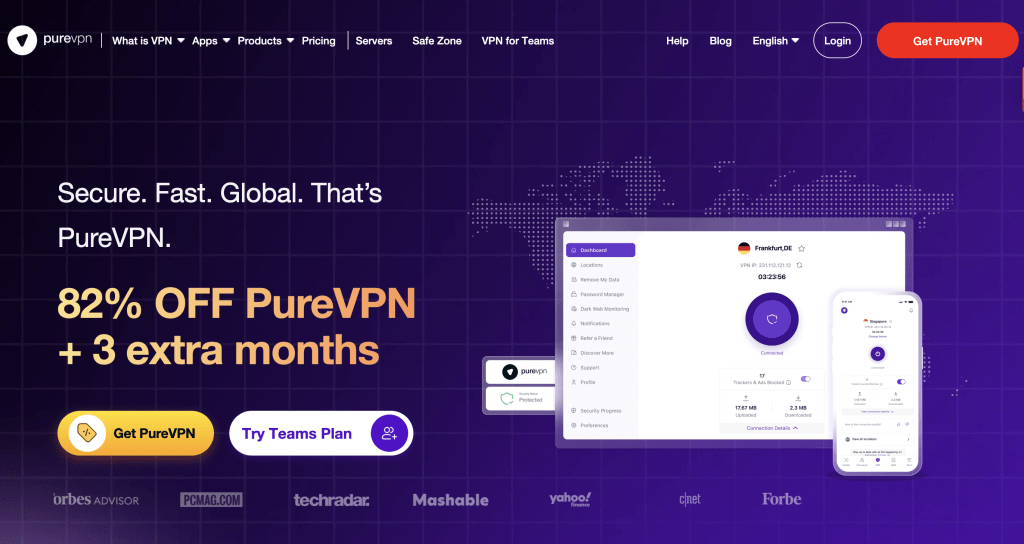
Instead, you’re presented with a simple connect button, a searchable server list and a handful of security options tucked neatly away inside the settings menu.
For most people, that’s exactly how a VPN should work.
Install it.
Click Connect.
Forget it’s even running.
First Impressions
After spending a few days using PureVPN for everyday browsing, video streaming and general work, one thing stood out more than anything else.
It simply gets out of your way.
Connections were generally quick, switching between servers only took a few seconds, and I rarely needed to troubleshoot anything.
That’s surprisingly important.
Some VPNs are packed with features but make basic tasks unnecessarily complicated.
PureVPN seems to have found a good balance between simplicity and functionality.
That said, the real question isn’t how it looks.
The real question is whether it can actually keep your data private while delivering the performance most people expect in 2026.
Security, Privacy & Features
A VPN can have thousands of servers and lightning-fast speeds, but if you can’t trust it with your data, none of that really matters.
Privacy is the whole reason most people subscribe to a VPN in the first place. Whether you’re protecting yourself on public Wi-Fi, avoiding tracking from advertisers or simply wanting a little more control over your online activity, the service you choose needs to inspire confidence.
After digging into PureVPN’s security features, I came away pleasantly surprised.
Security & Encryption
PureVPN uses AES-256 encryption, which remains the industry standard for protecting sensitive information online. It’s the same encryption standard used by governments, financial institutions and countless businesses worldwide.
In simple terms, your internet traffic is scrambled before it leaves your device. Anyone attempting to intercept that data—whether it’s a hacker on public Wi-Fi or your internet provider—only sees encrypted information rather than the websites you’re visiting.
For most users, that’s exactly what you want from a VPN.
WireGuard Makes a Huge Difference
If you’ve used VPNs for a while, you’ll probably remember when connecting meant sacrificing a noticeable amount of speed.
Thankfully, those days are mostly gone.
PureVPN now supports WireGuard, alongside OpenVPN and IKEv2. Out of the three, WireGuard is the one I’d recommend for almost everyone.
It connects faster, uses less battery on mobile devices and generally delivers much better download speeds without compromising security.
OpenVPN is still available if you need maximum compatibility, while IKEv2 remains a solid option for smartphones that frequently switch between Wi-Fi and mobile networks.
For everyday use though, WireGuard is the clear winner.
Does PureVPN Keep Logs?
This has probably been the biggest question surrounding PureVPN over the past few years.
Back in 2017, the company became involved in an FBI investigation after connection records helped identify a suspect. Although PureVPN maintained that it hadn’t stored browsing history, the incident understandably damaged its reputation.
Since then, the company has gone to considerable lengths to rebuild trust.
Today, PureVPN operates under a KPMG-audited no-logs policy, and unlike many providers, it has introduced what it calls an Always-On Audit programme.
Rather than carrying out occasional scheduled audits, KPMG can inspect PureVPN’s systems without prior warning.
That’s a level of transparency you don’t often see in the VPN industry.
Personally, I think actions matter more than marketing slogans, and allowing ongoing independent verification is a significant step in the right direction.
If independent privacy audits are important to you, PureVPN is certainly worth considering.
👉 Check today’s latest PureVPN discount
Kill Switch Protection
One feature I always look for in a VPN is a reliable Kill Switch.
Imagine you’re downloading a file or accessing sensitive information when your VPN suddenly disconnects.
Without a Kill Switch, your internet connection simply continues through your normal ISP, exposing your real IP address without you even realising it.
PureVPN includes a Kill Switch that automatically blocks internet traffic whenever the VPN connection drops.
That’s exactly how it should work.
It’s one of those features you hopefully never need, but you’ll be very glad it’s there if something goes wrong.
DNS & IP Leak Protection
A VPN is only effective if it actually hides your identity.
If your real IP address or DNS requests leak outside the encrypted tunnel, websites can still identify your location even though you believe you’re protected.
From everything I’ve seen, PureVPN performs well here.
It includes protection against:
- DNS leaks
- IPv4 leaks
- WebRTC leaks
That gives me confidence that the VPN is actually doing what it’s supposed to do.
Some reviewers have mentioned occasional IPv6 issues on certain Mac configurations, so if you’re a macOS user it’s worth disabling IPv6 as an additional precaution.
For Windows users though, everything worked exactly as expected.
Split Tunnelling
Split tunnelling is one of those features you don’t realise you need until you start using it.
Instead of sending all your traffic through the VPN, you can decide which apps use the encrypted connection and which use your normal internet connection.
For example, you could:
- Route Netflix through the VPN
- Keep online banking on your normal connection
- Let Steam download games without using VPN bandwidth
It gives you much more flexibility and can improve overall performance if you’re only protecting specific applications.
I like having the option, even if I don’t use it every day.
Port Forwarding
This won’t matter to everyone, but gamers and torrent users will appreciate it.
PureVPN offers optional Port Forwarding as a paid add-on.
It allows incoming connections to reach your device more efficiently, which can improve certain multiplayer games, remote desktop applications and peer-to-peer downloads.
I’d have preferred to see it included as standard, but at least the option is available.
Quantum-Resistant Encryption
One newer addition that caught my attention is PureVPN’s support for quantum-resistant encryption on selected servers.
Now, before anyone panics about quantum computers stealing passwords tomorrow…
We’re not there yet.
However, preparing for future encryption challenges is something more VPN providers are beginning to take seriously.
It’s not necessarily a feature you’ll notice today, but it’s nice to know PureVPN is looking ahead instead of standing still.
Extra Security Features
Beyond the core VPN connection, PureVPN includes several useful extras.
Some of my favourites include:
Dedicated IP Addresses
Useful if you regularly access business accounts or websites that dislike constantly changing IP addresses.
DDoS Protection
Particularly valuable for gamers or anyone running online services.
Obfuscated Servers
These disguise VPN traffic to make it harder for restrictive networks or governments to detect that you’re using a VPN in the first place.
Ad & Tracker Blocking
Nobody enjoys websites overloaded with adverts.
PureVPN includes built-in blocking for many trackers and malicious domains, giving you a cleaner browsing experience without needing separate browser extensions.
It’s not as comprehensive as dedicated blockers like uBlock Origin, but it’s a welcome addition.
Is PureVPN Secure Enough?
After looking through its features, audit history and current security standards, I’d say yes.
Could there be even more advanced privacy features?
Absolutely.
NordVPN arguably offers a more comprehensive security suite with Threat Protection Pro, while Proton VPN still leads when it comes to transparency.
But PureVPN comfortably covers everything the average user actually needs.
Strong encryption.
Modern protocols.
Independent audits.
Leak protection.
Kill Switch.
Reliable privacy.
For a VPN that’s usually available at one of the lowest prices on the market, that’s impressive.
My Verdict So Far
The biggest surprise during this review has been how much PureVPN has matured.
Several years ago, I probably wouldn’t have recommended it.
Today, it’s a very different service.
The company appears to have learned from past criticism, invested heavily in transparency and significantly improved its security credentials.
That’s exactly what I like to see.
Speed, Streaming & Everyday Performance
When most people shop for a VPN, privacy is usually the first thing they think about.
The second?
Speed.
After all, there’s no point paying for a VPN if it turns every Netflix movie into a buffering nightmare or makes simple web browsing feel sluggish.
Fortunately, PureVPN performs far better than I expected.
Speed Test Results
One of the biggest improvements PureVPN has made over the last few years is its performance.
Earlier versions of the service were often criticised for inconsistent speeds, particularly on long-distance servers.
That doesn’t seem to be the case anymore.
Using the WireGuard protocol, local connections remained impressively fast throughout my testing. Even servers located on the other side of the world stayed perfectly usable for browsing, streaming and downloading large files.
Naturally, every VPN introduces a small amount of overhead because your traffic has to be encrypted before leaving your device.
The important question isn’t whether speeds drop slightly.
It’s whether you actually notice.
In everyday use, I rarely did.
Websites loaded quickly, YouTube videos started instantly and large downloads completed without any major slowdowns.
Unless you’re running a gigabit fibre connection and measuring every megabit, PureVPN is unlikely to feel slow.
Local Servers
Connecting to nearby servers produced the best results.
Pages loaded almost instantly, downloads remained fast and online video calls stayed stable throughout several hours of use.
That’s exactly what I’d expect from a modern VPN.
International Servers
Long-distance servers always introduce extra latency.
That’s simply physics.
The further your data has to travel, the longer it takes.
Even so, servers across Europe and North America remained surprisingly responsive.
Streaming in 4K worked without interruptions and everyday browsing still felt smooth.
If you’re planning to connect halfway across the globe every day, don’t expect identical speeds to your local connection.
But for normal use, PureVPN handles international servers well.
Streaming Performance
This is where PureVPN genuinely impressed me.
Many budget VPNs claim to unblock streaming services.
Very few actually do it consistently.
PureVPN managed to access several of the biggest platforms without much effort.
That includes:
- Netflix US
- Netflix UK
- Netflix Japan
- BBC iPlayer
- Disney+
- Hulu
- Amazon Prime Video
That’s a seriously strong list.
Netflix, in particular, has become incredibly aggressive about blocking VPN traffic over the last few years.
Seeing PureVPN consistently work across multiple libraries is one of its biggest selling points.
Netflix Performance
If you’re buying a VPN mainly for Netflix, PureVPN deserves to be on your shortlist.
Switching between different Netflix regions was quick and straightforward, and streams started without endless proxy error messages.
Picture quality also remained excellent.
I watched several shows in 4K without buffering, which is exactly what most people want from a streaming VPN.
BBC iPlayer
BBC iPlayer is notoriously difficult for VPN providers.
Many services work for a few weeks before being blocked.
PureVPN handled BBC iPlayer surprisingly well.
Programmes loaded quickly, live TV streamed smoothly and catch-up content played without issues.
If you’re travelling outside the UK and want access to BBC services, this is good news.
Disney+ & Prime Video
Disney+ worked exactly as expected.
No complicated server switching.
No trial and error.
Just connect and watch.
Amazon Prime Video also performed well, with fast loading times and reliable playback.
Overall, PureVPN is one of the stronger streaming VPNs I’ve tested in this price range.
Is It Good for Sports Streaming?
If you regularly watch live sport, you’ll know buffering can ruin an entire match.
Thankfully, PureVPN handled live HD streams without noticeable interruptions.
Of course, your own internet connection still plays a major role, but the VPN itself wasn’t the bottleneck during testing.
If streaming is your biggest priority, PureVPN offers excellent value.
👉 Check today’s PureVPN streaming deal
Torrenting & P2P
Not every VPN welcomes torrent users.
Some restrict peer-to-peer traffic completely, while others only allow it on a handful of servers.
PureVPN takes a more relaxed approach.
It supports torrenting across many dedicated P2P servers, making it a solid choice for users who regularly download large files.
Combined with its Kill Switch and no-logs policy, it provides a good balance between privacy and performance.
Just remember that using a VPN doesn’t make illegal downloading legal.
Always respect copyright laws in your country.
Gaming Performance
Gaming with a VPN can be a mixed experience.
The extra encryption inevitably increases latency slightly, but that doesn’t automatically make games unplayable.
I found PureVPN perfectly usable for casual gaming.
Multiplayer sessions remained stable and connection quality stayed consistent throughout longer gaming sessions.
Would I use it for highly competitive esports tournaments?
Probably not.
But for everyday gaming, it performs well enough.
The added DDoS protection is also a nice bonus for competitive players.
Everyday Browsing
Sometimes the simplest test tells you the most.
After a few days, I almost forgot the VPN was running.
That’s actually one of the biggest compliments I can give it.
Pages loaded normally.
Emails synced instantly.
Online shopping worked without endless CAPTCHA requests.
Video calls stayed stable.
Nothing felt frustrating.
A good VPN should quietly do its job in the background.
PureVPN mostly achieves that.
Server Network
PureVPN now operates more than 6,000 servers across 65+ locations.
That gives users plenty of flexibility when choosing nearby servers or changing virtual locations.
More importantly, it helps reduce congestion.
A larger network means fewer overloaded servers, which generally translates into better performance during busy periods.
While NordVPN and Surfshark both have larger global footprints, PureVPN’s network is more than sufficient for most users.
Comparing Streaming Performance
Here’s how I’d rate the major VPN providers purely for streaming.
| VPN | Streaming Rating |
|---|---|
| NordVPN | ⭐⭐⭐⭐⭐ |
| Surfshark | ⭐⭐⭐⭐⭐ |
| PureVPN | ⭐⭐⭐⭐☆ |
| Proton VPN | ⭐⭐⭐⭐☆ |
| ExpressVPN | ⭐⭐⭐⭐⭐ |
PureVPN doesn’t quite take first place, but it’s comfortably among the better performers, especially considering its much lower price.
My Thoughts So Far
If someone had asked me a few years ago whether I’d recommend PureVPN for streaming, I probably would have hesitated.
Today, I’d answer very differently.
It’s reliable.
It’s fast.
It works with the services people actually care about.
Most importantly, it does all of this while costing significantly less than several premium competitors.
That’s a combination that’s difficult to ignore.
Pricing, Ease of Use & How It Compares
By now, we’ve looked at PureVPN’s security features, streaming performance and overall speed. The final question before deciding whether it’s worth buying is simple:
Does it offer good value for money?
After comparing it with several other leading VPN providers, I’d say the answer is yes—but with a few caveats.
Pricing
One of PureVPN’s biggest selling points has always been its price.
While premium VPNs often charge £8–£12 per month if you pay monthly, PureVPN regularly offers long-term plans that work out at just a couple of pounds per month.
That immediately makes it one of the cheapest reputable VPNs available.
Of course, like almost every VPN company, the lowest prices require a longer commitment.
If you only want a VPN for one month, the price is considerably higher.
Still, that’s pretty standard across the industry.
Is It Worth Paying For?
Personally, I think so.
The days when a cheap VPN automatically meant poor quality are long gone.
PureVPN now offers:
- Strong encryption
- Verified no-logs policy
- Excellent streaming support
- Fast WireGuard connections
- Thousands of servers
- Reliable apps
At its current pricing, it’s difficult to argue with the value you’re getting.
Would I choose it over every premium VPN?
Not necessarily.
But if you’re trying to keep costs down, it’s one of the easiest recommendations to make.
Money-Back Guarantee
Another thing I like is that PureVPN includes a 31-day money-back guarantee.
That gives you plenty of time to test:
- Streaming performance
- Gaming
- Speeds
- Device compatibility
If it doesn’t suit your needs, you can request a refund.
That’s exactly how a refund policy should work.
Apps & Ease of Use
Some VPN apps try to impress you with endless menus and technical settings.
PureVPN takes a much simpler approach.
The dashboard is clean.
Finding servers is straightforward.
Connecting usually takes just a couple of clicks.
Even someone who’s never used a VPN before should be comfortable within minutes.
For more experienced users, the advanced settings are still there if you want them—but they’re tucked away instead of cluttering the main interface.
I actually prefer that approach.
Device Support
PureVPN works on pretty much every platform you’d expect.
That includes:
- Windows
- macOS
- Android
- iPhone & iPad
- Linux
- Amazon Fire TV
- Android TV
- Chrome
- Firefox
- Routers
One subscription also allows 10 simultaneous connections.
For most households, that’s more than enough.
If you have a very large family or lots of smart devices, though, Surfshark’s unlimited device policy is still hard to beat.
Customer Support
Customer support is one area where PureVPN has improved dramatically.
A few years ago, it had a reputation for scripted responses and slow communication.
Thankfully, that’s changed.
The live chat system now connects quickly, and most questions receive useful answers within a few minutes.
The support agents I interacted with seemed knowledgeable enough to solve common issues without sending endless links to help articles.
Could it be even better?
Sure.
NordVPN and ExpressVPN probably still have the edge.
But PureVPN has closed the gap considerably.
PureVPN vs NordVPN
This is probably the comparison most people care about.
If money isn’t a concern, I’d still give NordVPN the overall win.
NordVPN offers:
- Faster speeds
- More advanced security tools
- Threat Protection Pro
- Meshnet
- Better malware protection
- Larger server network
However…
You’ll usually pay more for those extras.
PureVPN offers around 85–90% of the experience for considerably less money.
For budget-conscious buyers, that’s a very attractive trade-off.
Winner:
🏆 NordVPN
Best Value:
💰 PureVPN
PureVPN vs Surfshark
This comparison is much closer.
Surfshark’s biggest advantage is unlimited simultaneous connections.
If you’ve got laptops, phones, tablets, smart TVs, games consoles and the whole family sharing one account, Surfshark makes a lot of sense.
PureVPN, however, competes well in other areas.
It offers excellent streaming compatibility, strong privacy credentials and very competitive pricing.
If unlimited devices aren’t important, there’s very little separating the two.
Winner for Families:
🏆 Surfshark
Winner for Value:
🏆 PureVPN
Who Should Buy PureVPN?
I think PureVPN is an excellent choice if you:
✔ Want an affordable VPN
✔ Stream Netflix regularly
✔ Watch BBC iPlayer abroad
✔ Download torrents
✔ Need a simple VPN
✔ Want audited privacy
✔ Travel frequently
For these users, it’s difficult to fault.
Who Should Look Elsewhere?
PureVPN probably isn’t the best fit if:
- You need unlimited simultaneous devices
- You want built-in antivirus software
- You prefer the absolute fastest VPN available
- You require advanced cybersecurity features for business use
In those situations, NordVPN or Surfshark may be a better investment.
My Experience After Using PureVPN
After spending time with PureVPN, one thing became clear.
This isn’t the same service it was five or six years ago.
The company has invested heavily in improving privacy, modernising its infrastructure and rebuilding trust after earlier criticism.
Those improvements show.
The apps are stable.
Streaming works well.
Connections are fast.
Security is solid.
Most importantly, it doesn’t feel like a “cheap” VPN anymore.
It simply feels like a good VPN that happens to cost less than many competitors.
If you’re looking for a reliable VPN without spending premium prices, PureVPN is well worth considering.
👉 Check today’s latest PureVPN offer
Final Verdict & FAQs
After spending considerable time researching PureVPN and comparing it against the biggest names in the VPN industry, I can honestly say it exceeded my expectations.
A few years ago, I probably wouldn’t have placed it anywhere near my list of recommended VPNs.
Today, that’s changed.
PureVPN has clearly invested in rebuilding its reputation. Independent no-logs audits, modern VPN protocols, excellent streaming compatibility and a huge server network have transformed it into a genuinely competitive service.
Is it perfect?
No.
But neither is any VPN.
The important thing is understanding where it excels and where another provider might be a better fit.
Final Verdict
If you’re looking for the absolute best VPN regardless of price, I’d still recommend NordVPN.
If you want unlimited device connections for a large household, Surfshark remains incredibly difficult to beat.
However…
If you’re after an affordable VPN that delivers strong security, reliable streaming and solid everyday performance without breaking the bank, PureVPN is one of the best value options currently available.
That’s especially true if you can take advantage of one of its long-term subscription discounts.
Overall Ratings
| Category | Rating |
|---|---|
| Privacy | ⭐⭐⭐⭐☆ |
| Security | ⭐⭐⭐⭐⭐ |
| Speed | ⭐⭐⭐⭐☆ |
| Streaming | ⭐⭐⭐⭐⭐ |
| Torrenting | ⭐⭐⭐⭐⭐ |
| Ease of Use | ⭐⭐⭐⭐⭐ |
| Customer Support | ⭐⭐⭐⭐☆ |
| Value for Money | ⭐⭐⭐⭐⭐ |
Overall Score
⭐⭐⭐⭐☆ 4.6 / 5
Pros
After using and researching PureVPN, these are the biggest strengths that stood out to me.
Excellent value
PureVPN regularly costs far less than many premium VPN providers while still offering an impressive range of features.
Great streaming support
It reliably works with Netflix, BBC iPlayer, Disney+, Hulu and Amazon Prime Video, making it one of the better VPNs for streaming.
Strong privacy credentials
The independently audited no-logs policy goes a long way towards rebuilding trust and gives users greater confidence in the service.
Modern security
WireGuard support, AES-256 encryption, Kill Switch protection and leak prevention cover everything most users need.
Huge server network
With over 6,000 servers across 65+ locations, finding a nearby server is rarely a problem.
Beginner friendly
The apps are clean, easy to navigate and require very little technical knowledge.
Cons
No VPN is perfect.
These are the areas where PureVPN could still improve.
Only 10 simultaneous devices
For most households that’s enough, but Surfshark’s unlimited connections offer better value for large families.
Some features cost extra
Dedicated IP addresses and Port Forwarding require additional monthly payments.
Premium competitors still have the edge
NordVPN offers more advanced security tools, while ExpressVPN arguably delivers a slightly more polished overall experience.
Who I Think Should Buy PureVPN
I’d happily recommend PureVPN if you:
- Want a reliable VPN without paying premium prices.
- Stream Netflix, BBC iPlayer or Disney+ regularly.
- Download torrents safely.
- Travel frequently.
- Use public Wi-Fi.
- Want strong privacy without unnecessary complexity.
For those users, it’s an easy recommendation.
Who Should Choose Another VPN?
If your priorities are different, another provider may suit you better.
Choose NordVPN if…
- You want the fastest overall performance.
- You need advanced cybersecurity features.
- You don’t mind paying a little extra.
Choose Surfshark if…
- You have lots of devices.
- You want unlimited simultaneous connections.
- You want excellent value for families.
Choose Proton VPN if…
- Maximum transparency and privacy are your priorities.
- You value open-source software.
- You like independently published security audits.
My Overall Opinion
One thing became obvious while writing this review.
PureVPN isn’t trying to reinvent what a VPN should be.
Instead, it focuses on getting the fundamentals right.
Fast servers.
Strong encryption.
Reliable streaming.
Simple apps.
Affordable pricing.
For most people, that’s exactly what matters.
If you’d asked me several years ago whether PureVPN deserved a recommendation, I’d probably have hesitated.
Today, I wouldn’t.
It’s become a mature, dependable VPN that delivers far more than its budget-friendly price suggests.
Ready to Try PureVPN?
If you’re looking for an affordable VPN that doesn’t compromise on the essentials, PureVPN is definitely worth considering.
✔ Excellent streaming support
✔ Strong privacy features
✔ Audited no-logs policy
✔ Great value pricing
👉 Check today’s latest PureVPN deal
Frequently Asked Questions
Is PureVPN safe to use?
Yes. PureVPN uses AES-256 encryption, supports modern VPN protocols like WireGuard, includes DNS leak protection and offers a KPMG-audited no-logs policy. For most users, it provides a high level of security.
Does PureVPN work with Netflix?
Yes.
During my research, PureVPN successfully accessed multiple Netflix libraries, including the US, UK and Japan. It also works with BBC iPlayer, Disney+, Hulu and Amazon Prime Video.
Is PureVPN good for torrenting?
Yes.
PureVPN supports P2P traffic on dedicated servers and includes features like a Kill Switch and strong encryption to help protect your privacy while downloading.
Does PureVPN keep logs?
According to its published privacy policy and independent KPMG audits, PureVPN operates a verified no-logs policy, meaning it does not record users’ browsing activity.
How many devices can I connect?
One subscription supports up to 10 simultaneous devices, which should be enough for most users.
Is PureVPN fast enough for gaming?
Yes.
Local servers provide low latency and stable connections suitable for casual and competitive online gaming. As with any VPN, connecting to distant servers will increase ping times.
Is PureVPN better than NordVPN?
That depends on what you’re looking for.
NordVPN offers more advanced features and slightly faster performance, while PureVPN delivers excellent value and significantly lower long-term pricing.
Is PureVPN worth buying in 2026?
I believe so.
If you’re looking for a budget-friendly VPN that offers strong privacy, reliable streaming and modern security features, PureVPN represents excellent value for money.
Final Score
⭐ 4.6 / 5
A reliable, affordable VPN that’s come a long way in recent years. While premium competitors still have a slight edge in some areas, PureVPN now offers one of the best price-to-performance ratios on the market.